.svg)
Best Laptops for Engineers | ASUS Gaming V16, TUF Gaming & Zephyrus
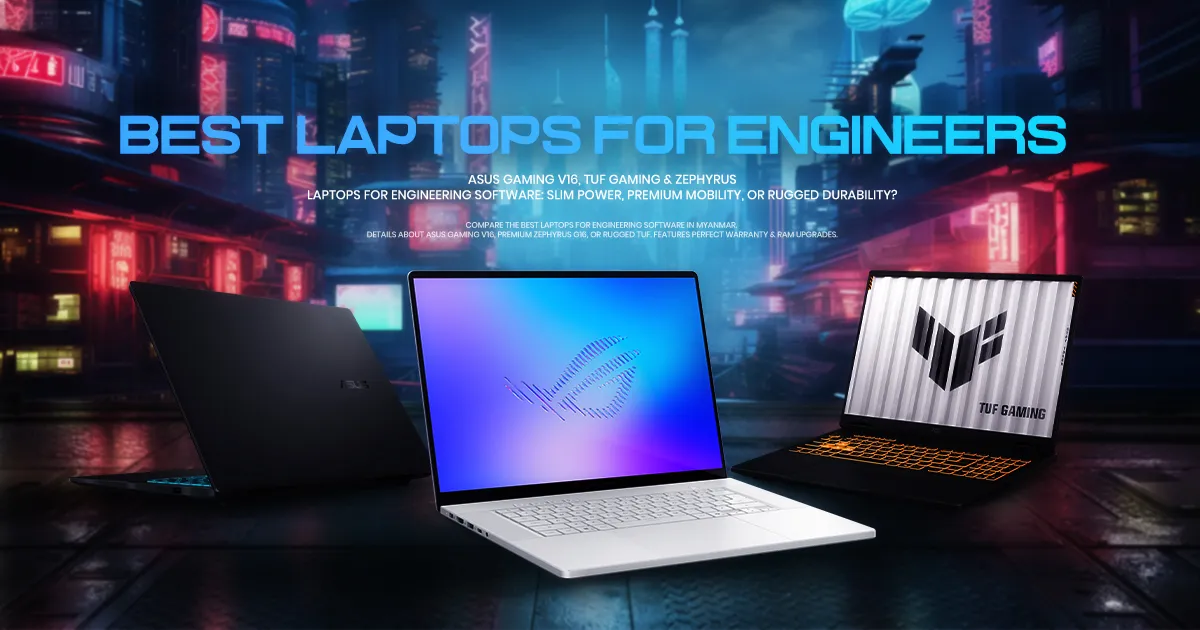
↓ English version is available below the Burmese content ↓
အင်ဂျင်နီယာဆော့ဖ်ဝဲလ်သုံးအတွက် သင့်တော်တဲ့ ရွေးချယ်စရာ ASUS Laptop များ
AutoCAD, SolidWorks, Revit ဒါမှမဟုတ် MATLAB လိုမျိုး Engineering ဆော့ဖ်ဝဲလ်တွေကို ရေရှည်အဆင်ပြေပြေ အသုံးပြုနိုင်ဖို့အတွက် သင့် Laptop က ရိုးရိုးကွန်ပျူတာတစ်လုံးထက် ပိုကောင်းတဲ့ Performance လိုအပ်ပါတယ်။
ပုံမှန် ရုံးသုံး Office Laptop တွေက ရှုပ်ထွေးတဲ့ 3D မော်ဒယ်တွေ Rendering ချတဲ့အခါ ဒါမှမဟုတ် Simulation တွေ Run တဲ့အခါ စက်ပူလာပြီး ဟန်းသွားတာ၊ ဒါမှမဟုတ် ဆော့ဖ်ဝဲလ် Crash ဖြစ်ပြီး ပိတ်သွားတာမျိုးတွေ ခဏခဏ ကြုံရတတ်ပါတယ်။
Engineering ဆော့ဖ်ဝဲလ်တွေ အဆင်ပြေပြေ လည်ပတ်နိုင်ဖို့ — ရှုပ်ထွေးတဲ့ Geometry ပုံရိပ်တွေကို တွက်ချက်ပေးမယ့် သီးသန့် Graphics Processing Unit (GPU)၊ Multi-core Processor၊ အားကောင်းတဲ့ high-speed RAM နဲ့ Load အပြည့်တက်နေချိန်မှာ performance လျော့မသွားအောင် ကာကွယ်ပေးမယ့် Thermal Cooling (အအေးခံစနစ်) တွေပါဝင်ဖို့လိုအပ်ပါတယ်။
မြန်မာနိုင်ငံက Engineer တွေနဲ့ Engineering Student တွေအတွက် လက်ရှိစျေးကွက်ထဲမှာ မိမိရဲ့ လုပ်ငန်းခွင် ပတ်ဝန်းကျင်၊ လိုအပ်တဲ့ Performance Ceiling နဲ့ ဘတ်ဂျက်အပေါ် မူတည်ပြီး စိတ်ကြိုက်ရွေးချယ်နိုင်မယ့် အကောင်းဆုံး ASUS Laptop အမျိုးအစားတွေကို အသေးစိတ် ဖော်ပြပေးလိုက်ပါတယ်။
Rugged Field Survivor: ASUS TUF Gaming Series
အင်ဂျင်နီယာ အလုပ်မှန်သမျှ Aircon လေးနဲ့ ရုံးခန်းထဲမှာပဲ ရှိနေတာတော့ မဟုတ်ပါဘူး။ ဆောက်လုပ်ရေး လုပ်ငန်းခွင် (Active Construction Sites) ထဲဆင်းရတဲ့ Civil အင်ဂျင်နီယာတွေ၊ စက်ရုံအလုပ်ရုံတွေထဲ သွားရတဲ့ Mechanical အင်ဂျင်နီယာတွေနဲ့ နာရီပေါင်းများစွာ Fluid Dynamics Simulation တွေကို တစ်ဆက်တည်း Run ထားရမယ့်သူတွေအတွက်တော့ အကြမ်းခံမှု (Structural Resilience) ကလည်း တော်တော်လေးအရေးပါပါတယ်။
ASUS TUF Gaming Series ကိုတော့ ဘယ်လိုကြမ်းတမ်းတဲ့ ပတ်ဝန်းကျင်မှာမဆို Peak Performance (အမြင့်ဆုံးစွမ်းဆောင်ရည်) ကို ပုံမှန် ထိန်းထားနိုင်ဖို့ ရည်ရွယ်ပြီးတည်ဆောက်ထားတာ ဖြစ်ပါတယ်။
Military-Grade Toughness
TUF Gaming Laptop တိုင်းကို ပြင်းထန်တဲ့ MIL-STD-810H စစ်ဘက်ဆိုင်ရာ စံနှုန်းတွေနဲ့ စမ်းသပ်ထားပါတယ်။ ဒါကြောင့် သွားလာလှုပ်ရှားတဲ့အခါ ဖြစ်ပေါ်တဲ့ တုန်ခါမှုတွေ၊ ဆိုဒ်ထဲက ဖုန်မှုန့်တွေ၊ မြင့်မားတဲ့ စိုထိုင်းဆတွေနဲ့ မတော်တဆ ထိခိုက်မိတာတွေကို ကောင်းကောင်း ခံနိုင်ရည် ရှိပါတယ်။
Aggressive Thermal Cooling
Heavy 3D Rendering တွေက GPU ကို နာရီပေါင်းများစွာ အသုံးပြုရနိုင်ပါတယ်။ TUF Gaming Series ရဲ့ Aggressive Dual-fan (ပန်ကာနှစ်လုံးစနစ်) နဲ့ ကိုယ်ထည်ဒီဇိုင်းက Thermal Control ကောင်းကောင်းလုပ်နိုင်တာကြောင့် အချိန်ကြာကြာ rendering ဒါမှမဟုတ် Heavy Duty တွေ Run နေတဲ့အချိန်တွေမှာ Performance ကို Consistent ဖြစ်အောင် ထိန်းထားနိုင်ပါတယ်။
The Verdict
လုပ်ငန်းခွင်လိုအပ်ချက်အရ တကယ့်အကြမ်းခံ ရေရှည်ခံ Workhorse တစ်လုံး လိုအပ်တယ်ဆိုရင်တော့ TUF Gaming Series က သင့်တော်တဲ့ရွေးချယ်မှုဖြစ်ပါတယ်။
The Smart Mobile Workhorse: ASUS Gaming V16
သင်က အင်ဂျင်နီယာကျောင်းသားတစ်ယောက်၊ Software Developer တစ်ယောက် ဒါမှမဟုတ် တက္ကသိုလ်ကျောင်းဝန်း၊ ရုံးခန်းနဲ့ Client Meeting တွေကြား နေ့တိုင်း သွားလာလှုပ်ရှားနေရတဲ့ Project Manager တစ်ယောက်ဆိုရင် Laptop ရဲ့ အလေးချိန်က အဓိက စဉ်းစားရမယ့်အချက် ဖြစ်လာပါပြီ။
ASUS Gaming V16 ကတော့ ပုံမှန် Gaming Laptop တွေထက် ပိုမိုရိုးရှင်းပြီး ပုံမှန် Office Laptop တွေလို ခပ်ငြိမ်ငြိမ် Design နဲ့ဖြစ်တာကြောင့် ရုံးမှာပဲဖြစ်ဖြစ် ကျောင်းသုံးပဲဖြစ်ဖြစ် အဆင်ပြေစေပါတယ်။
Performance
စွမ်းဆောင်ရည်မြင့် Intel Processor နဲ့ NVIDIA® GeForce RTX™ 4050/5050 သီးသန့် GPU တွေ ပါဝင်လို့ 2D Drafting, 3D မော်ဒယ်လ်တွေနဲ့ Rendering ပိုင်းကို အဆင်ပြေပြေကိုင်တွယ်လုပ်ဆောင်နိုင်ပါတယ်။
Workspace
16-လက်မ 144Hz Display မှာ ပုံမှန်ထက် ပိုမြင့်တဲ့ 16:10 Aspect Ratio ကို အသုံးပြုထားတာကြောင့် မြင်ကွင်းကျယ်ကျယ်နဲ့ အလုပ်လုပ်နိုင်မှာလည်းဖြစ်ပါတယ်။
The Verdict
Dedicated GPU ပါတဲ့ Laptop လိုအပ်တယ် but Gaming Design တွေလည်းမဟုတ်တဲ့ သာမန် Office Laptop တွေလို Design ထဲကလိုချင်တယ် and Budget လည်းသင့်ရမယ်ဆိုတဲ့ သူတွေအတွက် ASUS Gaming V16 က သင့်တော်တဲ့ ရွေးချယ်စရာ Laptop တစ်လုံးဖြစ်ပါတယ်။
ကွန်ပျူတာ သက်တမ်းရှည်ဖို့ RAM Upgrade လွယ်ကူစွာ ပြုလုပ်နိုင်ခြင်း
Engineering ဆော့ဖ်ဝဲလ်တွေက နှစ်စဉ် Update အသစ်တွေ ထွက်လာတိုင်း Hardware Demand ပိုများလာလေ့ ရှိပါတယ်။ ဒီနေ့မှာ SolidWorks ကို အဆင်ပြေပြေ သုံးနိုင်ပေမယ့် နောက် ၃ နှစ်လောက်ကြာရင် Memory (RAM) ထပ်တိုးဖို့ လိုအပ်လာနိုင်ပါတယ်။
မြန်မာနိုင်ငံမှာ ASUS Laptop တစ်လုံးကို ရွေးချယ်ရခြင်းရဲ့ အဓိက အားသာချက်ကတော့ ASUS Authorized Service Centers တွေမှာ လိုအပ်တဲ့ Upgrade တွေကို အလွယ်တကူ ဝန်ဆောင်မှုရရှိနိုင်တာဖြစ်ပါတယ်။ ဒီ Service Center တွေမှာ Genuine Spare Parts (စစ်မှန်တဲ့ မူရင်း အပိုပစ္စည်းများ) ကိုသာ အသုံးပြုတာကြောင့် စက်ရဲ့ တည်ငြိမ်မှု၊ အစိတ်အပိုင်းတွေ ကိုက်ညီမှုရှိပြီး မိမိ Laptop ရဲ့ Performance ကို ဆက်လက် ထိန်းသိမ်းထားနိုင်မှာ ဖြစ်ပါတယ်။
အကောင်းဆုံး အကာအကွယ်: ASUS Perfect Warranty
စွမ်းဆောင်ရည်မြင့် Laptop တစ်လုံးဟာ တန်ဖိုးကြီးမားတဲ့ ရင်းနှီးမြှပ်နှံမှုတစ်ခု ဖြစ်ပါတယ်။ ကျွန်တော်တို့ မြန်မာနိုင်ငံရဲ့ လက်ရှိ ပတ်ဝန်းကျင် အခြေအနေ— လမ်းခရီး တုန်ခါမှုတွေ၊ မမျှော်လင့်ဘဲ ဖြစ်တတ်တဲ့ လျှပ်စစ်မီးအား အတက်အကျတွေနဲ့ အလုပ်များတဲ့ လုပ်ငန်းခွင်တွေကြားထဲမှာ စက်ဝယ်ပြီးနောက် After-sales ဝန်ဆောင်မှုကလည်း အတွင်းက Processor Spec တွေ GPU Spec တွေ အတိုင်း အရေးကြီးပါတယ်။
ASUS Official Authorized Dealer တွေဆီကနေ ဝယ်ယူတဲ့အခါ ပုံမှန် ၂ နှစ် အပြည်ပြည်ဆိုင်ရာ Warranty (2-Year International Warranty) အပြင် User Fault ကြောင့်ဖြစ်တဲ့ မတော်တဆမှုတွေအတွက်ပါ အကြုံဝင်ပြီး တော်တော်လေးအသုံးဝင်တဲ့ ASUS Perfect Warranty ကိုပါ ရရှိမှာ ဖြစ်ပါတယ်။
ဒါဟာ မြန်မာပြည်က အသုံးပြုသူတွေအတွက် အကောင်းဆုံး safety net (အကာအကွယ်) ဖြစ်ပြီး ဝယ်ယူပြီး ပထမတစ်နှစ်အတွင်းမှာ မတော်တဆဖြစ်တဲ့ ထိခိုက်မှုတွေကိုပါ အာမခံပေးတာ ဖြစ်ပါတယ်။ ဆိုဒ်ထဲမှာ Laptop မတော်တဆ ပြုတ်ကျတာ၊ ညဘက်အလုပ်လုပ်ရင်း ကော်ဖီ ဖိတ်စင်မိတာ ဒါမှမဟုတ် မီးအား အတက်အကျကြောင့် စက်ပိုင်းဆိုင်ရာ ထိခိုက်တာမျိုးတွေ ဖြစ်ခဲ့ရင် ရန်ကုန်နဲ့ မန္တလေးမြို့တွေမှာရှိတဲ့ Official Service Center တွေကနေ စစ်မှန်တဲ့ မူရင်းပစ္စည်းတွေနဲ့ စနစ်တကျ ပြန်လည် ပြုပြင်ပေးမှာ ဖြစ်ပါတယ်။ ဒီအတွက် ကုန်ကျစရိတ်ကိုလည်း အသုံးပြုသူဘက်က 20% သာကျခံဖို့လိုအပ်ပါတယ်။
အနှစ်ချုပ်: ဘယ် ASUS Laptop က သင့်လုပ်ငန်းခွင်နဲ့ အကိုက်ညီဆုံးလဲ?
ASUS TUF Gaming
ကြမ်းတမ်းတဲ့ လုပ်ငန်းခွင်တွေထဲ သယ်သွားဖို့နဲ့ နာရီပေါင်းများစွာ 3D Rendering ချဖို့အတွက် သက်လုံကောင်းပြီး အကြမ်းဆုံးစက်ကို လိုချင်သူများအတွက်။
ASUS Gaming V16
နေ့စဉ် CAD နဲ့ ဆော့ဖ်ဝဲလ် အသုံးပြုဖို့အတွက် ဘတ်ဂျက်၊ ရိုးရှင်းစမတ်ကျတဲ့ ဒီဇိုင်းနဲ့ သယ်ဆောင်ရလွယ်ကူမှုကို မျှတစွာ လိုချင်သူများအတွက်။
ဝယ်ယူရန်လမ်းညွှန်
ဒီ ASUS Laptop တွေကတော့ လတ်တလော INNWA IT & Mobile မှာရနိုင်တဲ့ Model တွေဖြစ်ပြီး Stock နဲ့ ဈေးနှုန်းများဟာ အချိန်နဲ့အမျှပြောင်းလဲမှုရှိနိုင်တာကြောင့် ဝယ်ယူဖို့ စိတ်ဝင်စားတယ်ဆိုရင် ဆိုင်ကိုမလာမီ INNWA IT & Mobile ရဲ့ Viber, Facebook Page Messenger တို့ကနေကြိုတင်မေးမြန်းဝယ်ယူနိုင်မှာဖြစ်ပါတယ်။
Laptops for Engineering Software
Slim Power, Premium Mobility, or Rugged Durability?
When you run engineering software like AutoCAD, SolidWorks, Revit, or MATLAB, your computer is no longer just a tool—it is a heavy-duty engine. A standard office laptop built for spreadsheets will quickly choke, overheat, or crash when asked to render complex 3D meshes or run structural simulations.
Engineering software requires a balanced architecture: a dedicated Graphics Processing Unit (GPU) for complex geometry, an efficient multi-core processor, and a thermal cooling design that prevents performance throttling under load.
For engineers and architecture students in Myanmar, finding this balance used to mean carrying a thick, heavy brick. Today, the local market offers specialized machines tailored to exactly how and where you work. Whether you need an agile commuter laptop, an ultra-premium powerhouse, or a rugged tank for the field, here is how to choose the right engineering laptop.
Elite Professional Choice: ROG Zephyrus G16
For senior engineers, lead architects, and 3D professionals who refuse to compromise on either aesthetics or raw computing power, the ROG Zephyrus G16 sits in a tier of its own.
This laptop redefines the "thin and light" category by packing absolute top-tier performance into a precision-milled aluminum chassis that is less than 1.5cm thick.
Visual Precision
Equipped with a gorgeous ROG Nebula display (often utilizing high-refresh OLED technology), it provides flawless color accuracy and deep contrast. This is vital when rendering realistic architectural walk-throughs or client presentations.
Uncompromising Power
Housing the latest high-end processors and elite NVIDIA RTX 50-series GPUs, this machine allows you to run massive rendering tasks and AI workloads locally without needing to tether to a desktop workstation.
The Verdict
If you want the absolute best—a featherweight, highly sophisticated design paired with uncompromising workstation power—the Zephyrus G16 is your premium upgrade.
Rugged Field Survivor: ASUS TUF Gaming Series
Not every engineering job happens in an air-conditioned office. Civil engineers on active construction sites, mechanical engineers on factory floors, and professionals who run hours-long fluid dynamics simulations need structural resilience above all else.
ASUS TUF Gaming series is intentionally engineered to survive harsh operating environments while maintaining a maximum performance ceiling.
Military-Grade Toughness
TUF machines are tested against strict MIL-STD-810H standards. They are built to withstand operational vibration in transit, extreme humidity, dust exposure, and accidental bumps on site.
Aggressive Thermal Cooling
Heavy 3D rendering pushes a GPU to 100% capacity for hours. The TUF series features an aggressive dual-fan setup and a slightly thicker chassis to expel heat rapidly, ensuring your system doesn't slow down or crash midway through a critical render.
The Verdict
Choose the TUF Gaming series if you prioritize pure durability, physical thermal endurance, and stable performance under continuous, heavy loads.
Thin & Light, Budget Friendly: ASUS Gaming V16
If you are an engineering student, a software developer, or a project manager who spends the day moving between university campuses, corporate office, and coffee shops, excessive weight is a dealbreaker.
ASUS Gaming V16 solves this by stripping away aggressive gaming aesthetics and replacing them with a stealthy, professional matte-black finish that weighs under 2kg.
Performance
Powered by capable Intel processors and dedicated graphics like the NVIDIA® GeForce RTX™ 4050/5050, it easily handles 2D drafting, moderate 3D modeling, and code compiling.
Workspace
The 16-inch 144Hz display utilizes a taller 16:10 aspect ratio, giving you more vertical screen real estate to read blueprints, timelines, or dense code without constant scrolling.
The Verdict
It is the ideal entry-to-mid-tier choice for mobile professionals who need reliable dedicated graphics without the traditional bulk or a premium price tag.
Futureproofing: The RAM Upgrade Advantage
Engineering software becomes more demanding with every yearly update. A laptop that runs SolidWorks perfectly today might need more memory in three years.
One of the biggest advantages of choosing an ASUS laptop in Myanmar is long-term scalability. If you plan to use your laptop for years and eventually need to upgrade your RAM, you don't have to risk voiding your warranty at a third-party repair shop. You can easily upgrade your memory directly through ASUS Authorized Service Centers. Because these centers use genuine spare parts, you are guaranteeing system stability, hardware compatibility, and the continuation of your official warranty status.
Local Safety Net: ASUS Perfect Warranty
Engineering laptops are high-value investments. In Myanmar's operating environment—with unpredictable power fluctuations, bumpy daily commutes, and busy workspaces—after-sales validation matters as much as the processor inside.
Purchasing your device through official channels guarantees that you receive the standard 2-Year International Warranty, but more importantly, it unlocks the ASUS Perfect Warranty.
This acts as a local safety net, providing accidental damage protection for the first year. Whether you drop your laptop on a concrete floor, spill water on the keyboard during a late-night drafting session, or suffer a power surge, official service centers in Yangon and Mandalay have you covered.
Which Engineering Tool Fits Your Workflow?
ROG Zephyrus G16
The ultimate premium ultra-slim powerhouse for elite creators and senior professionals.
ASUS Gaming V16
The best balance of budget, clean aesthetics, and mobility for everyday CAD and software use.
ASUS TUF Gaming
The heavy-duty, military-grade workhorse for long rendering queues and active site visits.
Purchase Guide
These ASUS laptops are currently available at INNWA IT & Mobile. Stock and prices may change over time, so if you're interested in purchasing, please contact INNWA IT & Mobile via Viber or Facebook Page Messenger before visiting the store.